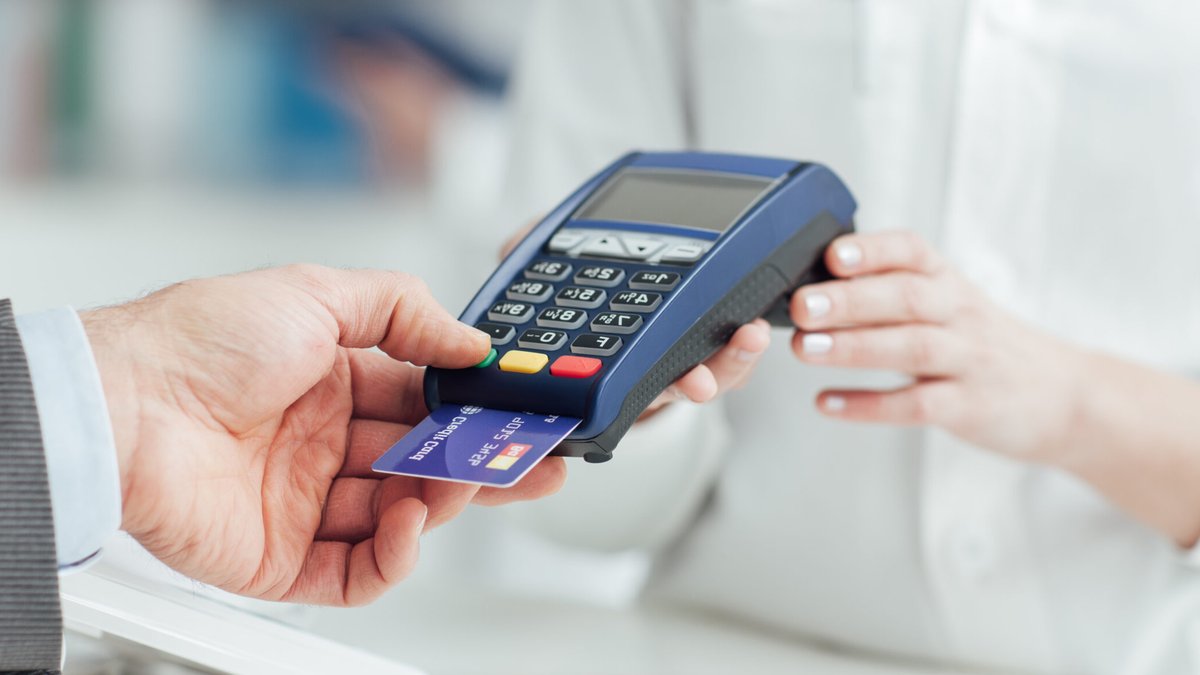
Most small businesses refer to it as a card machine. Banks and payment processors use the term PDQ terminal. Customers tap or insert their card and leave. Behind the counter, the device has many names—but its purpose remains the same: process payments quickly.
What a PDQ machine is
A PDQ machine—short for “process data quickly”—is any device that reads a customer’s card, verifies available funds, and transfers money from their account to the merchant’s. Whether it’s a countertop terminal in a grocery store or a pocket-sized reader at a farmers’ market, the function stays the same.
The name “PDQ” is industry shorthand. Outside payment circles, people typically say “card machine” or “chip-and-pin terminal.” These terms mean the same thing, with no technical difference between them.
How transactions work
When a customer taps or inserts their card, the machine sends the details to the merchant’s payment processor. The processor forwards the request to the card network—Visa, Mastercard, or another—and then to the issuing bank. If the account has sufficient funds, the bank approves the transaction and sends the money back through the same chain. The entire process usually takes less than five seconds.
Once approved, funds land in the merchant’s account within one or two business days.
Types of PDQ machines
Merchants select from three main designs, each suited to different business needs.
Related: Thames Water creditors await Burnham talks
Countertop terminals are fixed devices wired to a power outlet and a broadband router. They stay at a checkout counter and appear in retail stores, salons, and pharmacies. Since they don’t rely on batteries or wireless signals, they rarely fail mid-transaction. Fees are usually the lowest, but the machine cannot move from the counter.
Portable terminals have a rechargeable battery and connect via Wi-Fi. They can be carried anywhere within the business premises, making them ideal for restaurants, cafés, and large retail floors. Staff take payments tableside or at the customer’s location, but the device must stay within Wi-Fi range and return to its charging dock when not in use.
Mobile terminals are the smallest and most flexible. They use cellular data instead of Wi-Fi, so they work anywhere with a signal. Street vendors, pop-up shops, and delivery drivers often rely on them. Many models pair with a mobile receipt printer or send digital receipts by email. The trade-off is reliability: poor signal can disrupt transactions, and fees are typically flat rates rather than negotiated discounts.
Some businesses use multiple types. A café might keep a countertop terminal at the register and portable units for tableside service, while a food truck could depend entirely on a mobile reader.
Costs and contracts
PDQ machines can be rented or bought outright. Rental is common for countertop and portable models, with providers charging £15 to £25 per month. Mobile readers are often sold outright, starting around £15 to upwards of £150.
The device cost is only one part of the expense. Every transaction incurs a fee—either a percentage of the sale, a fixed amount per transaction, or a mix of both. Fees vary by provider, card type, and business volume.
Related: Best Wines for Sunny Picnics
Most providers bundle the machine with payment processing services. Renting or buying a terminal often means committing to that provider’s fees, monthly charges, and settlement terms.
Choosing the right machine depends on where and how a business operates. A fixed retail store might prefer a countertop terminal for reliability and lower fees. A food truck or pop-up shop needs a mobile reader that works anywhere. Restaurants and cafés often select portable terminals to take payments at the table.
After deciding on the type, the next step is comparing providers. Some sell readers directly online with no contract. Others, especially for countertop and portable models, require a sales call to set up a rental agreement. Setup can be as simple as unboxing and downloading an app, or as involved as configuring a network and training staff.
The process is straightforward. The merchant enters the sale amount, the customer taps or inserts their card, and the transaction completes in seconds. Funds appear in the merchant’s bank account within a day or two.
For businesses looking to streamline checkout, retail POS systems offer additional features beyond basic payment processing.

